About this template
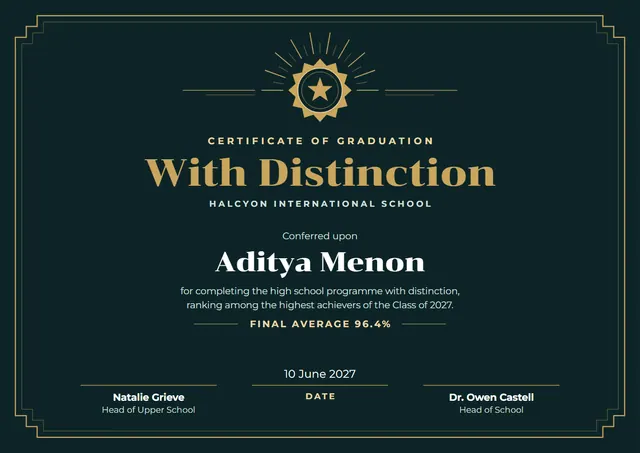
Use this modern Graduation with Distinction Certificate to mark the day someone graduates. It suits middle and high schools, and anyone else who wants the moment to feel official. On CerShare it comes in the Deep Teal and Brass colour scheme, with a medal as the centrepiece; the lettering pairs Chonburi with Montserrat. Change a few words and it doubles as a certificate of achievement.
Suggested wording
Copy one of these lines into the certificate, then replace the words in brackets.
Congratulations, [Name]! You walked in curious and you walk out ready. With love from all of us at [School].
[Name] has met every requirement of Graduation with Distinction Certificate with determination and good humour. We are proud to call you a graduate.
In honour of [Name], who completed Graduation with Distinction Certificate in [Year]. The tassel moves from right to left, and a new chapter begins.
How to customise it
Every word is editable, from the title to the signature line. Fonts can be swapped too; the defaults are Chonburi and Montserrat. Choose A4, US Letter or A3, in landscape or portrait, and the layout rearranges itself to fit. The design comes with three colour schemes (Onyx and Gold, Deep Teal and Brass and Aubergine and Champagne), and every single colour can be changed. You can also upload a logo or a photo and place it anywhere on the page.
Printing tips
A smooth, bright white card stock (about 65–80 lb cover) gives the cleanest finish. In the print dialog choose “Actual size” rather than “Fit”, so the border isn’t cropped. Because of the dark background, check your ink first, or send the PDF to a local print shop.